
Online SVG icon editor
The Icon Library editor creates and adjusts SVG icons right in your browser. It needs no account, installs nothing and sends your drawing to no server: the work happens on your machine. It is made for icons, on a 24-unit grid, not for illustrations, and that is what keeps it simple.
What it is for
Adjusting an icon that almost fits
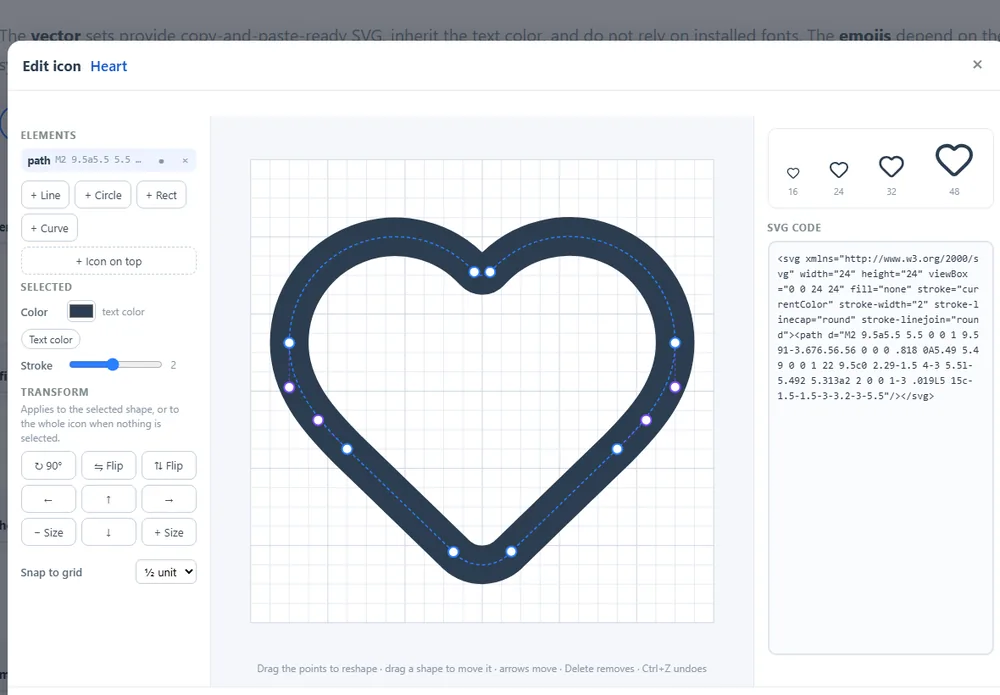
There is almost always an icon close to what you need. Search the main page among more than 10,000 icons from Lucide, Tabler, Feather, Bootstrap Icons and the community, and click the pencil on the card. The icon opens in the editor with the size and stroke you chose, and every shape can be moved, curved, deleted or recolored.
Merging two icons into one
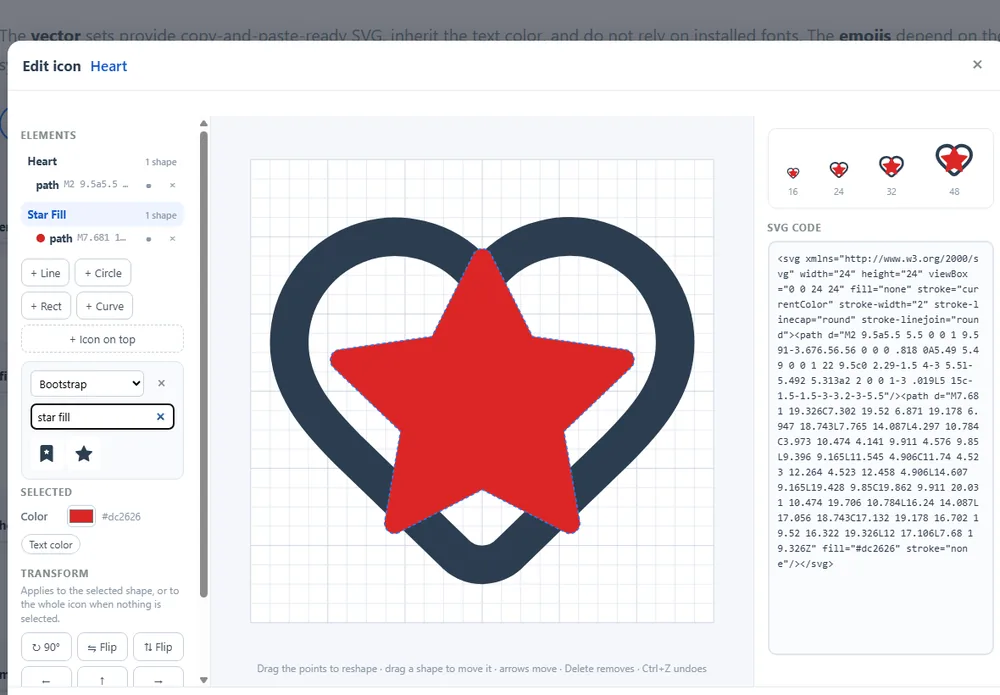
Icon on top brings a second icon onto the same grid: a star inside a heart, a lock on a database, a badge on a document. Each icon becomes a group that moves and resizes as a whole. With Unite, Subtract, Intersect and Exclude, two closed shapes become a single drawing, like a cut-out.
Drawing from scratch or from a sketch
In a blank editor, the ready-made shapes (line, circle, rectangle, polygons, star, arrow, speech bubble) and the pen, which makes curves as you drag, give you the base. To redraw a logo or a sketch, load the picture under Reference image: it shows under the grid, on your screen only, and never goes into the SVG.
Fixing an SVG that came from elsewhere
Paste SVG code into the code field and it turns into editable shapes. That works for an icon an AI assistant drew, a file from another designer or an old SVG from your project. The editor drops scripts and anything an icon does not need, and Optimize removes what does not change the drawing. An AI assistant can also hand you the icon as a link that opens right here, as llms.txt explains.
How it works, in four steps
- Open: blank, with the button above, or from an icon on the main page.
- Edit: drag points and shapes, which snap to the grid and to each other, with guides. Select several to align, group or rotate them together.
- Check: the previews show the icon at 16, 24, 32 and 48 pixels, on light and dark backgrounds. Original shows how it looked before.
- Take it: copy the SVG, download the SVG file or a PNG at any size, send it to the scratchpad, or save an
.ilefile to continue later.
Why an editor just for icons
Tools like Figma, Illustrator and Inkscape do much more, and for an
illustration they are the right choice. For an interface icon they tend to get
in the way: they export SVG with leftover groups, transforms and attributes,
and a stroke icon loses the text color. Here the result comes out clean, with
currentColor when you do not pick a color, so the icon takes the
color of the text wherever it is pasted. The 24-unit grid, the same as Lucide,
Tabler and Feather, keeps strokes sharp at small sizes.
| You want to | In the editor |
|---|---|
| Change the stroke width or color of one part | The Selected panel, shape by shape |
| Fill a shape or apply a gradient | Fill and Gradient, linear or radial |
| Cut one shape out of another | Subtract, with both closed shapes selected |
| Keep a shape still while you work on the others | The padlock in the element list |
| See the layer order | Show layers, which paints each shape a different color |
| Edit on a phone | The drawing stays on top and the tools sit in tabs below |
The full list of commands and shortcuts is in the Guide, under the editor.
Questions
Is it free? Do I need an account?
It is free and needs no account. The editor is JavaScript that runs in your browser, and the edit in progress is kept there, so it is not lost if the tab closes.
Does my SVG go to a server?
No. What you paste, draw or open from a file stays in the browser. In an icon
link, the drawing comes after the #, a part of the address the
browser does not send. Only what you choose to publish to Iconlibrary, the
community set, leaves your machine.
Can I use the icon in a commercial project?
It depends on where it started. A drawing of your own is yours. An icon edited from Lucide, Tabler, Feather or Bootstrap Icons stays under the license of its set (ISC or MIT), which allows commercial use; see the licenses.
What kind of SVG does it open?
Any SVG, with icons in mind. Lines, circles, ellipses, rectangles, polygons and paths become editable shapes, with stroke, fill and gradients. Text, masks and other SVG elements stay in the drawing as they are and change only through the code. Embedded images, filters and scripts are dropped.
Does it work on a phone?
Yes. On a phone the drawing stays in view and the tools sit in tabs below it; a tap selects a shape, and you drag it once it is selected.